

Smart Conference Room Infrastructure: What Makes a Smart Meeting Room Actually Work?
Discover how smart conference room infrastructure, structured cabling, meeting-room Wi-Fi, AV infrastructure and network racks create reliable smart offices and connected meeting spaces.
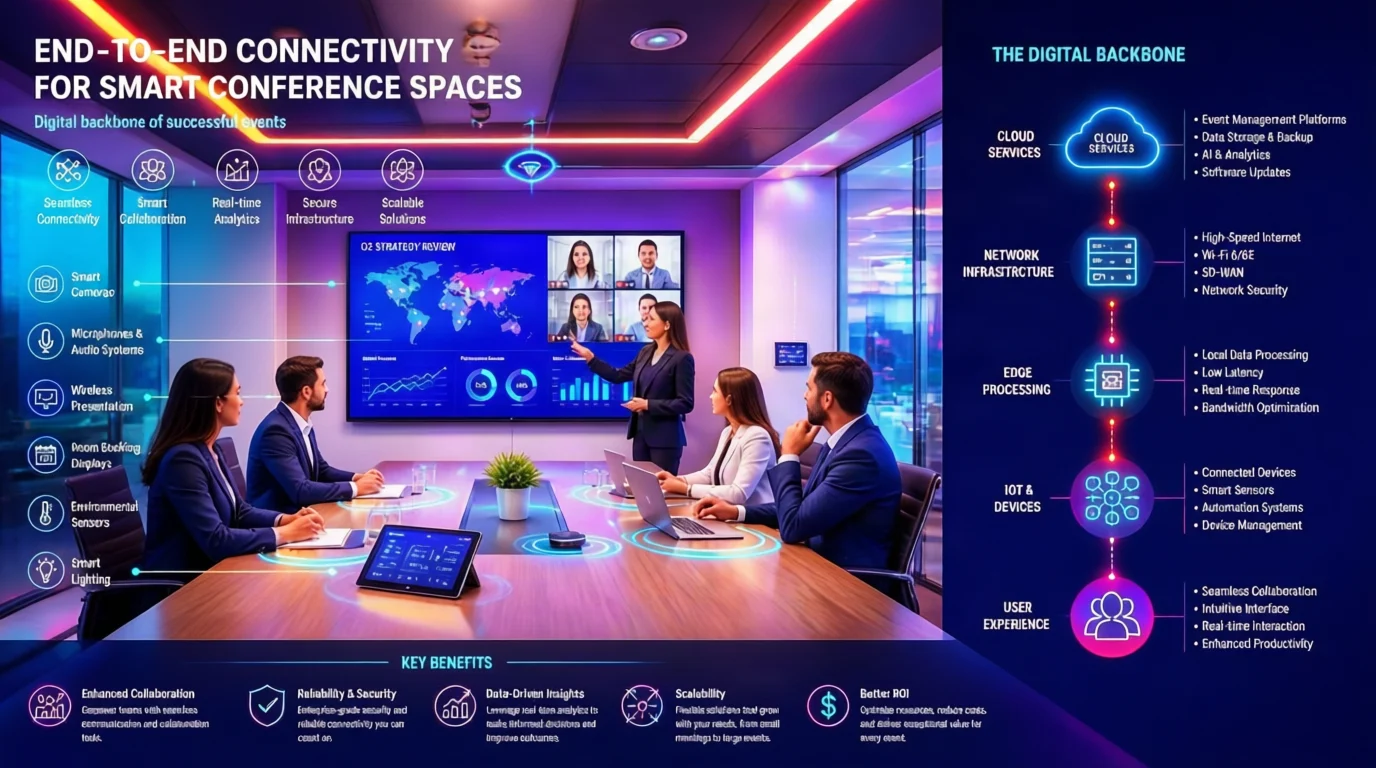
A Smart Conference Room Is More Than a Screen and Camera
Walk into a modern conference room and you will probably notice the large display first.
Then the video conferencing camera.
The microphones.
The speakers.
Perhaps a wireless presentation system or room-control panel.
But what you see is only the visible layer of the room.
Behind that technology is an infrastructure network that connects the room to the organisation’s wider ICT environment.
That infrastructure may include structured cabling, network switches, Wi-Fi access points, AV pathways, power, UPS systems, patch panels, racks and connectivity back to the core network.
This is why smart conference room infrastructure should be planned before the technology is purchased or installed.
A high-end display cannot compensate for poor cabling.
An expensive conferencing system cannot fix inadequate network connectivity.
And a powerful Wi-Fi access point cannot compensate for poor access-point placement or an inadequate wired backbone.
Smart technology starts with smart infrastructure.
What Is Smart Conference Room Infrastructure?
Smart conference room infrastructure is the physical and network foundation that enables meeting-room technology to operate as an integrated environment.
It can include:
- Structured cabling
- Data points
- Fibre connectivity
- Network switches
- Wi-Fi access points
- AV cabling and pathways
- Displays and video-conferencing connectivity
- Microphone and speaker infrastructure
- Power distribution
- UPS systems
- Network racks
- Patch panels
- Equipment containment
- Cable management
- Testing and documentation
The exact requirements depend on the room, its size, technology, number of users and intended purpose.
A small huddle room does not have the same requirements as an executive boardroom, training centre, hotel conference facility or multi-room corporate meeting environment.
The principle, however, remains the same:
Design the infrastructure around how the room will be used
1. Structured Cabling: The Foundation Behind the Technology
Modern meeting rooms depend heavily on connectivity.
Displays, cameras, room controllers, wireless presentation systems, access points and other devices may require network connections.
This makes structured cabling one of the most important components of smart conference room infrastructure.
A structured approach provides planned pathways, termination points, patch panels, equipment connections and cable identification rather than relying on ad-hoc cabling.
It also creates a more manageable infrastructure for future changes.
Industry guidance on conference-room design emphasises the importance of robust network infrastructure alongside wireless capability and AV systems.
What should be considered?
Before installation, consider:
- Where equipment will be located
- Where data points are required
- Where the network rack will sit
- How cables will reach displays
- How the conference table will connect
- Where ceiling devices will be positioned
- What future equipment may need connectivity
Don’t wait until the walls are finished to ask where the cables should go.
2. Meeting-Room Wi-Fi: More Than Just Internet Access
People often think of Wi-Fi as simply providing internet access.
In a smart conference room, it can support much more.
Users may need wireless connectivity for:
- Laptops
- Smartphones
- Tablets
- Wireless presentation
- Collaboration platforms
- Guest access
- Cloud applications
- Room-control systems
- Connected devices
A room with poor wireless coverage can quickly become frustrating during meetings.
But reliable meeting-room Wi-Fi starts with the infrastructure underneath it.
Access-point placement should be considered based on the room layout, expected user density, building materials and network requirements—not simply installed wherever a convenient ceiling point exists.
The wired backbone connecting the access point also matters.
Good Wi-Fi begins with good infrastructure planning.
3. AV Infrastructure: The Technology Must Have Somewhere to Go
Modern AV infrastructure is no longer limited to a projector and HDMI cable.
Meeting rooms may incorporate:
- Large displays
- Video-conferencing cameras
- Ceiling microphones
- Speakers
- Wireless presentation
- USB connectivity
- Touch controllers
- Digital signage
- AV-over-IP equipment
- Room scheduling systems
These systems require appropriate pathways and connectivity.
The challenge is that many of the required connections are installed before the room is finished.
That means AV infrastructure should be coordinated during the construction or fit-out stage.
Consider:
Behind the screen
→ Data
→ Power
→ AV pathways
→ Network connectivity
→ Equipment connections
Above the ceiling
→ Microphone cabling
→ Speaker cabling
→ Wi-Fi access points
→ Cable containment
At the conference table
→ Data
→ Power
→ HDMI/USB connectivity
→ Presentation connectivity
A properly coordinated AV infrastructure plan reduces the need for visible cabling and last-minute modifications.
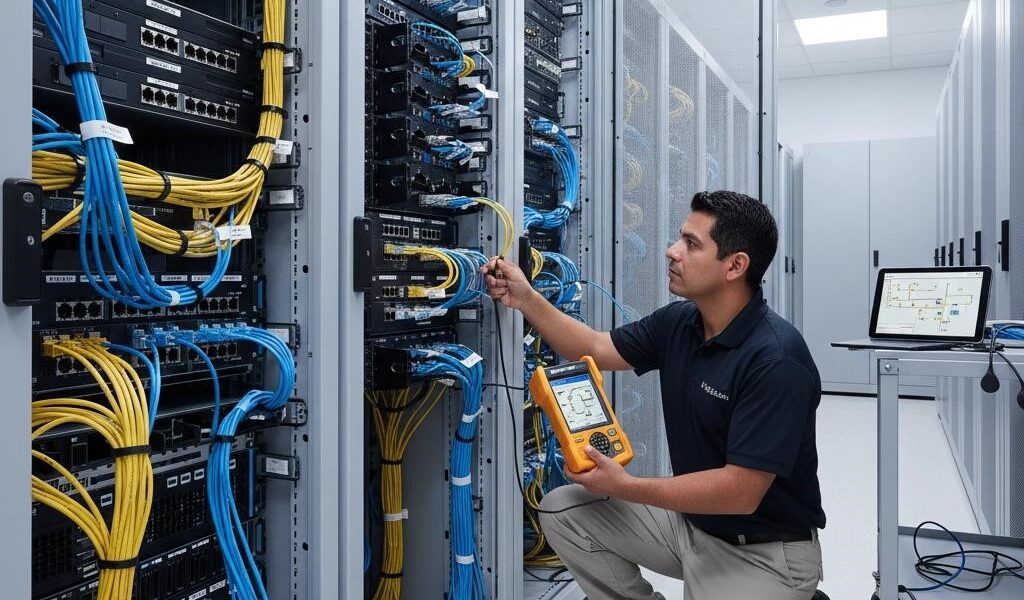
4. Network Racks: The Hidden Command Centre
The conference room may look simple from the user’s perspective.
But somewhere behind the scenes, the network infrastructure is doing the heavy lifting.
The network rack may contain:
- Network switches
- Patch panels
- Fibre termination
- UPS systems
- Power distribution
- AV equipment
- Cable management
- Network connections
The rack needs to be designed for more than today’s equipment.
It should consider:
- Equipment capacity
- Power
- Cooling
- Accessibility
- Cable management
- Labelling
- Maintenance
- Future expansion
A structured rack makes it easier for ICT and facilities teams to identify connections, troubleshoot faults and manage future changes.
Poor rack organisation, on the other hand, can turn a simple fault into a difficult maintenance exercise.
5. Power and UPS: Connectivity Needs Reliable Power
Every smart room depends on power.
Displays, cameras, network equipment, control systems, microphones and other devices all need appropriate power infrastructure.
This makes power planning part of the ICT conversation.
A smart conference room should consider:
- Equipment power requirements
- Power outlet locations
- UPS requirements
- Power distribution
- Equipment protection
- Rack power
- Future equipment requirements
The objective is not simply to install enough sockets.
It is to coordinate power, network and AV infrastructure around the way the room will operate.
6. Smart Office Infrastructure Connects the Room to the Workplace
A conference room does not operate in isolation.
It forms part of the wider smart office infrastructure.
The room may connect to:
- The organisation’s LAN
- Enterprise Wi-Fi
- Cloud collaboration platforms
- Security systems
- Access control
- Digital signage
- Room booking systems
- Building management systems
- Other meeting rooms
This is why conference-room design should involve ICT teams as well as architects, electrical contractors, facilities teams and AV specialists.
The goal should be an integrated infrastructure environment—not a collection of disconnected technologies.
7. Smart Building ICT Infrastructure Goes Beyond the Conference Room
The same infrastructure principles extend across the wider building.
Modern smart buildings can have network-connected:
- Wi-Fi
- CCTV
- Access control
- Sensors
- Building automation
- Voice systems
- Digital signage
- Lighting controls
- Meeting-room systems
- IoT devices
Structured cabling provides an important physical foundation for many of these connected systems.
This means ICT infrastructure should be considered as part of the building’s overall design—not treated as an isolated technology package.
8. Design Before the Walls and Ceilings Close
One of the most expensive mistakes in smart-office projects is waiting too long to address infrastructure.
Imagine discovering after the ceiling has been completed that you need another network cable.
Or realising that the display wall has insufficient connectivity.
Or discovering that the access point is poorly positioned.
Or finding that the network rack does not have enough space for the equipment.
The solution may involve:
- Rework
- Additional labour
- Surface-mounted containment
- Drilling
- Cable rerouting
- Project delays
- Additional costs
Planning the infrastructure during the design and construction phase helps reduce these problems.
The best time to design hidden infrastructure is before it becomes hidden.
9. Don’t Design AV and ICT in Isolation
One of the biggest opportunities in smart conference room projects is coordination.
The AV team may focus on:
Displays → Cameras → Microphones → Speakers → Control
The ICT team may focus on:
Network → Wi-Fi → Switches → Security → Connectivity
The electrical team may focus on:
Power → Distribution → Protection
The architect may focus on:
Space → Furniture → Ceiling → Finishes
The successful room requires these disciplines to work together.
Room design + ICT infrastructure + AV + power + connectivity = a functional smart meeting environment.
10. Testing and Documentation Matter
Installation is not the end of the project.
The infrastructure should be tested and documented.
Depending on the scope, this may include:
- Cable testing
- Fibre testing
- Network validation
- Wi-Fi validation
- AV testing
- Equipment connectivity
- Rack documentation
- Cable labelling
- Port identification
- As-built drawings
- Handover documentation
A room may work on the day of commissioning.
But without documentation, the next technician may struggle to understand what was installed.
A properly documented infrastructure is easier to maintain, troubleshoot and expand.
Who Should Think About Smart Conference Room Infrastructure?
This is not only an ICT department issue.
Developers
Plan infrastructure that supports modern tenants and future technology requirements.
Architects
Coordinate technology pathways with walls, ceilings, furniture and room layouts.
Project Managers
Ensure ICT, electrical, AV and construction activities are coordinated within the project programme.
ICT Managers
Ensure meeting rooms integrate properly into the wider network environment.
Facilities Teams
Ensure infrastructure remains accessible, maintainable and documented.
Procurement Teams
Specify the infrastructure—not only the visible equipment.
Contractors
Coordinate containment, cabling, power and equipment locations before finishes are completed.
Hotels and Event Venues
Build flexible meeting environments capable of supporting different users, events and technology requirements.
Schools and Training Institutions
Create connected learning and collaboration environments supported by reliable infrastructure.
Corporate Offices
Build meeting rooms that support hybrid meetings, collaboration and everyday business operations.
Coworking Spaces
Design flexible rooms that can accommodate different users, devices and connectivity requirements.
The Question Should Not Be “What Technology Are We Buying?”
A better starting question is:
“What infrastructure does this technology require?”
Before purchasing a conference-room display, ask:
Where will it connect?
Before installing a camera, ask:
How will it connect to the network?
Before deploying ceiling microphones, ask:
What pathways and cabling are required?
Before installing Wi-Fi access points, ask:
Where should they be positioned and how will they connect back to the network?
Before installing a network switch, ask:
Where will it be housed, powered, protected and maintained?
This approach shifts the conversation from equipment procurement to infrastructure planning.
Fibrecom: Designing the Infrastructure Behind the Technology
At Fibrecom Solutions Ltd, we position ICT infrastructure as the foundation upon which connected workplaces operate.
We can support the infrastructure lifecycle from:
Requirement → Site Assessment → Design → BOQ → Supply → Deployment → Testing → Documentation → Handover → Support
Our approach can bring together:
Structured Cabling
Fibre Infrastructure
LAN Infrastructure
Meeting-Room Wi-Fi
Network Switching
AV Infrastructure
Network Racks
Power & UPS Infrastructure
Testing & Documentation
The objective is not simply to install cables or equipment.
It is to create an infrastructure environment that supports the technology, users and future growth of the organisation.
Planning a Smart Conference Room?
Don’t start with the screen.
Start with the infrastructure.
Don’t only specify the camera.
Plan the connectivity behind it.
Don’t only buy the Wi-Fi access point.
Design the network that supports it.
Don’t only install the rack.
Plan the power, switching, patching, cooling, labelling and future capacity.
DON’T ONLY SPECIFY THE VISIBLE TECHNOLOGY. DESIGN THE INFRASTRUCTURE THAT MAKES IT WORK.
If you are developing, renovating, relocating or upgrading a conference room, boardroom, training room, smart office or commercial building, let Fibrecom help you assess the infrastructure requirements before technology becomes an installation problem.
REQUEST A SMART CONFERENCE ROOM INFRASTRUCTURE ASSESSMENT
Fibrecom Solutions Ltd
Reliable Technology Infrastructure, Delivered Right.
📞 0743 177 457
📧 info@fibrecom.co.ke
🌐 fibrecom.co.ke
SEND US YOUR DRAWING | SEND US YOUR BOQ | REQUEST A SITE ASSESSMENT